
Employee Clusters
Overview
The Employee Clusters module enables the grouping of employees into clusters, which define their access to specific data and system features. This approach helps enforce secure, role-based access control across the platform.
This functionality is accessible via the Employees menu in the Mwingi POS Back Office.

Employee Clusters Table View
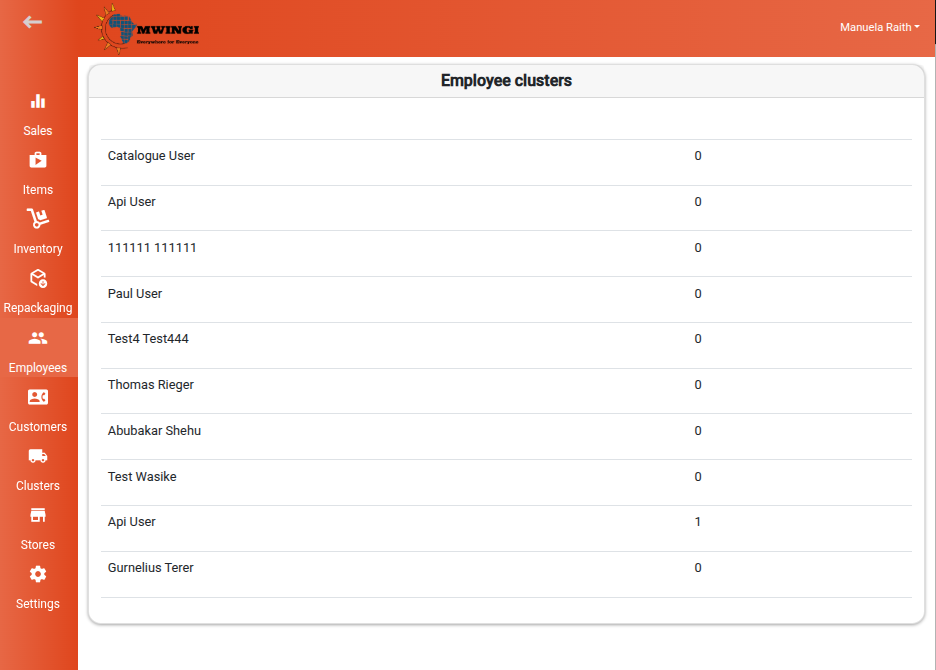
The system presents a table listing all employees assigned to one or more clusters. Each row includes:
- Name – The employee’s full name
- Cluster Count – Total number of clusters assigned to the employee
Viewing and Editing Cluster Assignments
To view or update an employee’s cluster assignments:
- Click the employee’s row in the table to open the Edit Employee Clusters Form
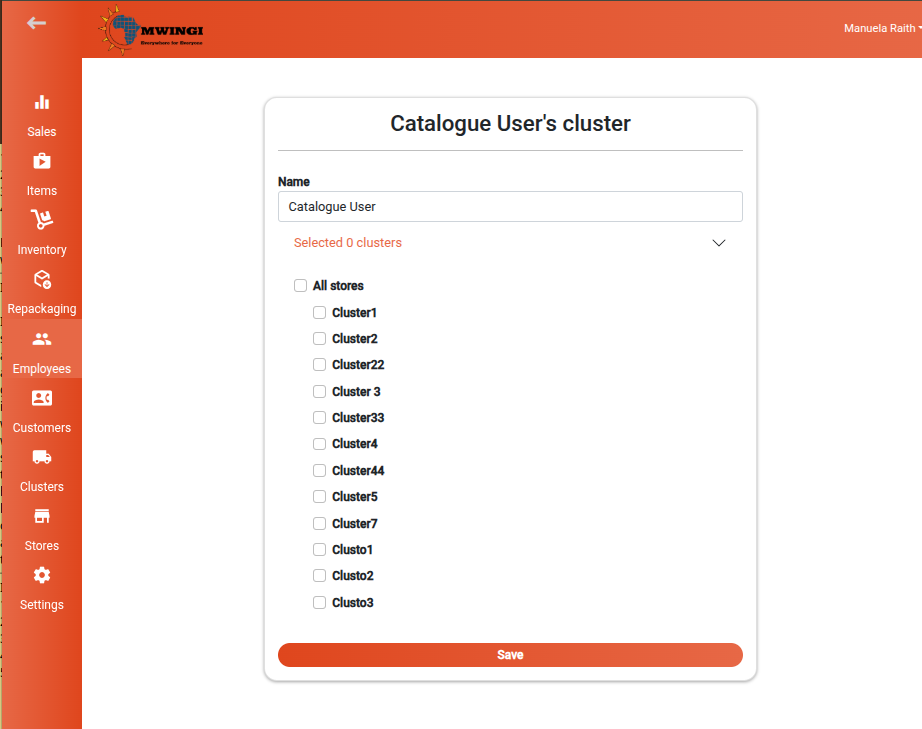
- The form displays the following:
- Name – Editable employee name field
- Clusters – A selectable list of clusters the employee has access to
Saving Changes
After making the desired updates, click Save to apply the changes to the employee’s cluster assignments.
