Categories
Overview
The Discounts Module in the Mwingi POS Back Office empowers authorized users to manage and track discount records applied to products across various stores. Discounts function as a strategic promotional tool and must be accurately documented for effective sales tracking and reporting.
Each discount is store-specific, enabling customized pricing strategies within the Mwingi store network.
Viewing Discounts
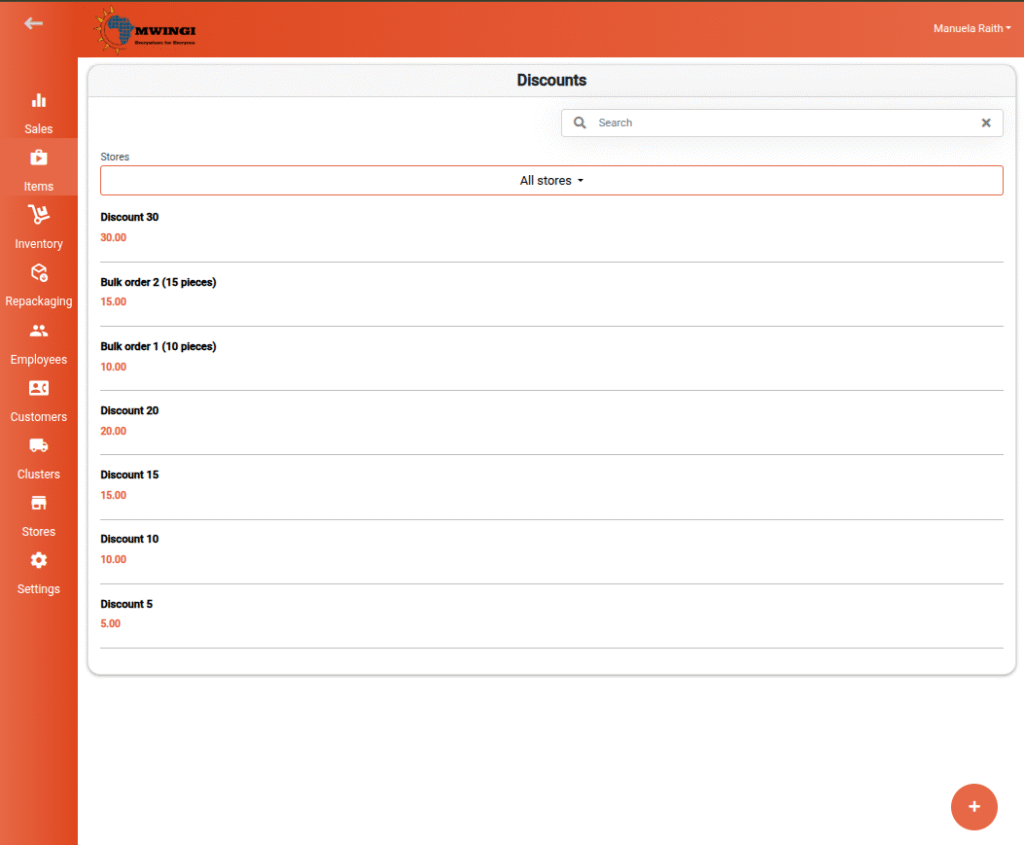
Users are presented with a list of existing discounts, each displaying:
- Discount Name
- Discount Value
To streamline access, users can:
- Search for specific discounts using the search bar
- Filter by Store to view discounts available in a selected store
Editing a Discount
To view or edit a discount, users can click or tap on a specific discount in the list. This opens a form with the following fields:
- Name – Allows the user to update the name of the discount
- Amount – The value of the discount
- Store Selection – Select one or more stores via checkboxes. The discount will then apply to the selected stores and appear on corresponding products in the Mwingi POS App.

Action Buttons
- Save – Apply and save changes
- Delete – Permanently remove the discount from the system

Creating a New Discount
To add a new discount:
- Click or tap the floating ( + ) button at the bottom left of the screen.
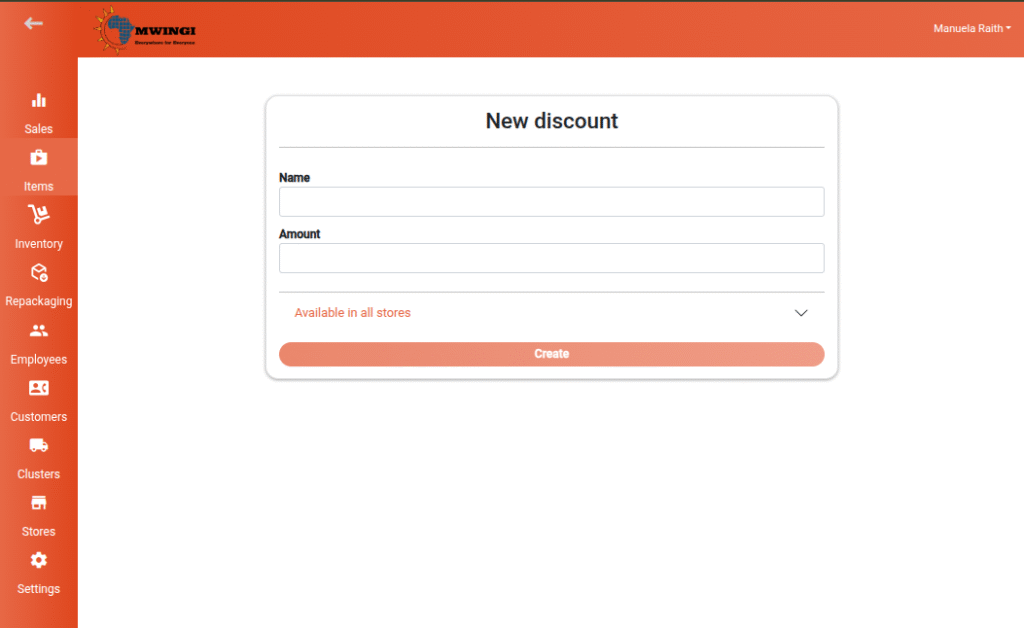
- A creation form appears, identical to the edit view, with the following fields:

- Discount Name
- Discount Amount
- Target Stores via checkboxes
Once all required fields are filled, click the Create button to finalize and save the new discount.