
Categories
Overview
The Categories Module in Mwingi POS is essential for organizing products, optimizing inventory management, and improving the accuracy of sales reporting. By grouping products into clearly defined categories, users can efficiently navigate the product catalog and monitor category-level performance.
To support ease of use, the system includes a search filter, allowing users to quickly find specific categories by name.
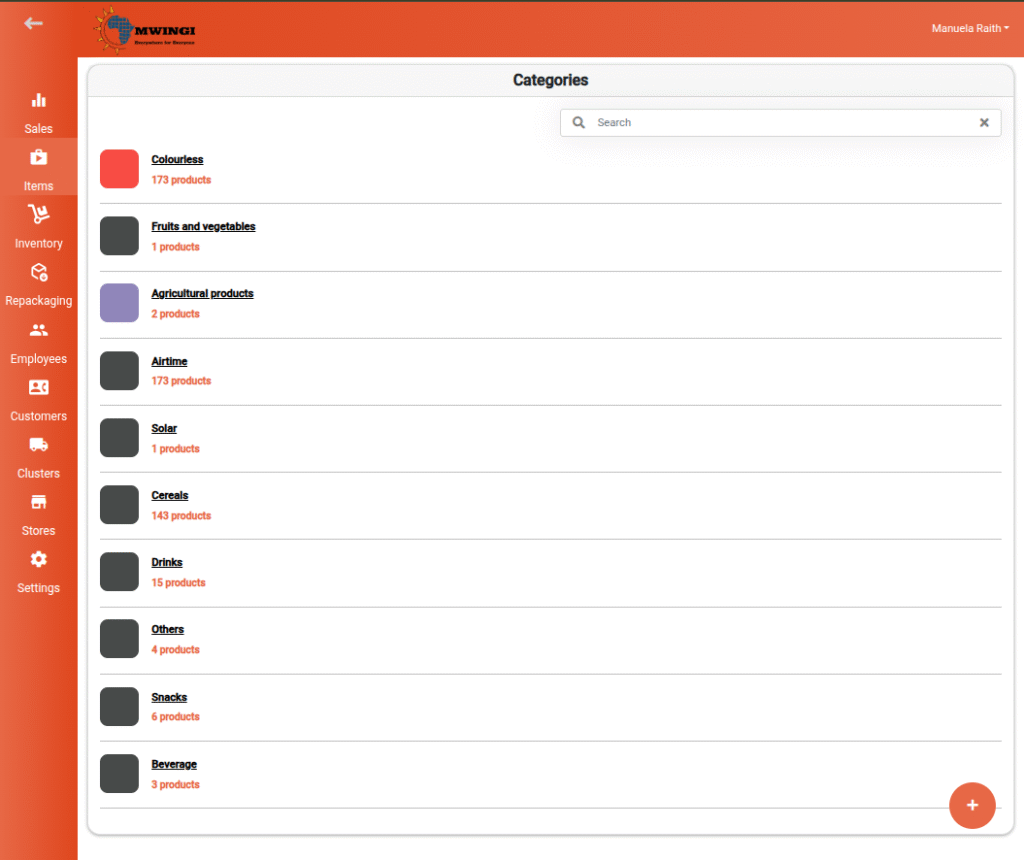
Viewing and Editing a Category
Authorized users can view and edit a category by selecting it from the category list. This opens an editable form with the following options:
- Category Name – Update the name to reflect any changes in product classification.
- Category Representation – Define how the category appears visually:
- Color – Choose from a grid of preset color options.
- Image – A default image is shown, with the option to upload a custom image to better represent the category.

Creating a New Category
To add a new category:
- Click or tap the floating ( + ) button located at the bottom-left corner of the category view.
- A creation form will open, identical to the edit form, allowing the user to:
- Enter the Category Name
- Define the Representation – Select a color or upload an image
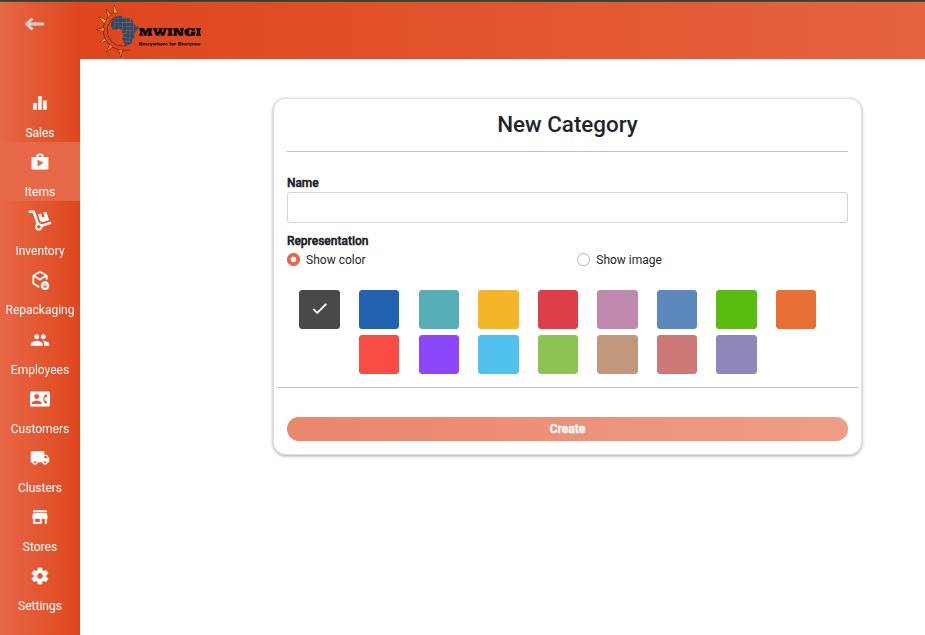
After completing the form, click the Create button to save the new category to the system.